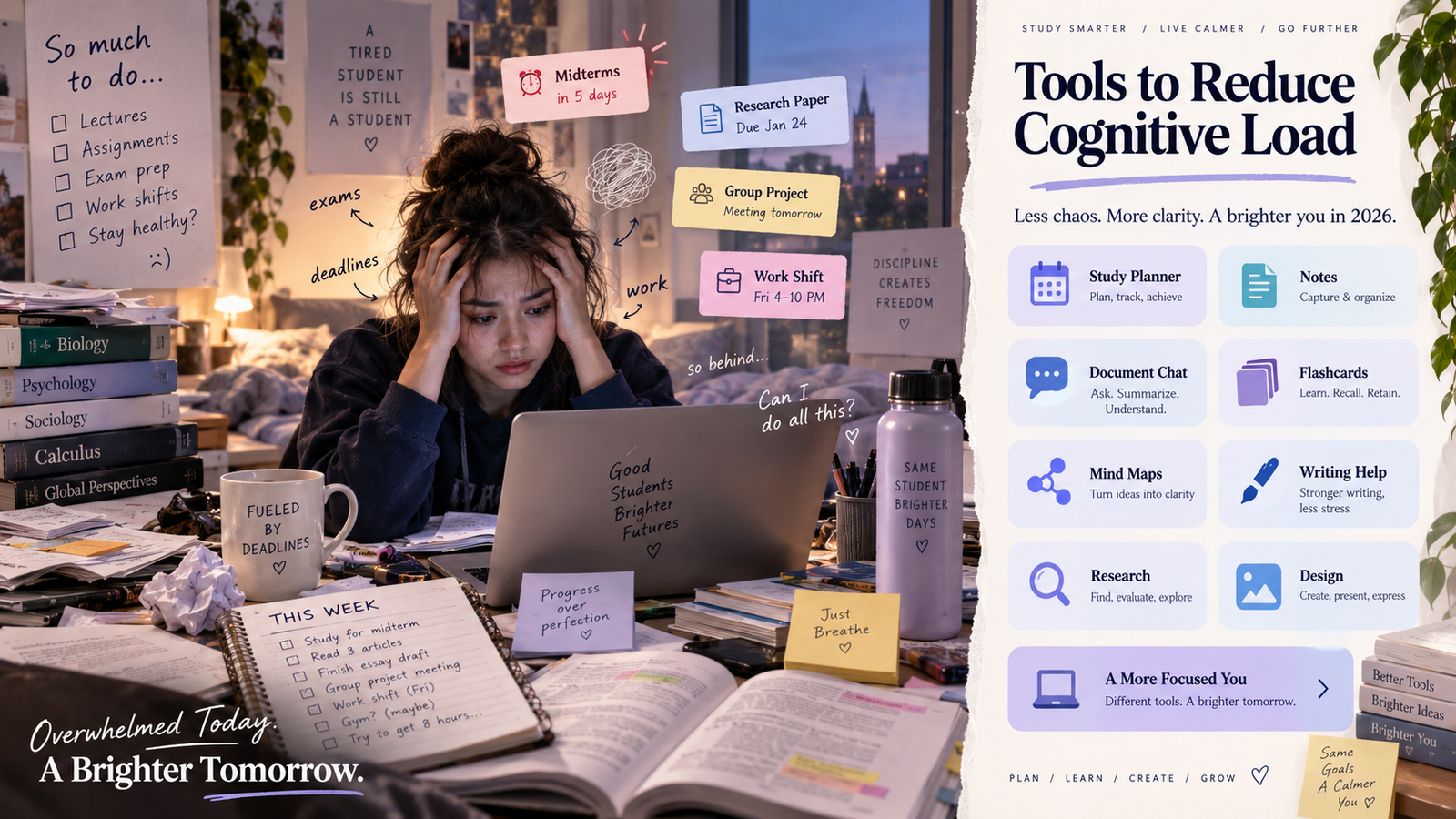
September has a very particular sense of humor when you are a student. In August, the semester looks almost romantic: fresh notebooks, a clean timetable, new subjects, and the slightly optimistic belief that this will finally be the term when assignments are completed three days early instead of three minutes before midnight. By September, that optimism has usually met the real academic calendar. Readings are getting longer, assignments are beginning to overlap, professors are starting to mention midterms with suspicious casualness, and the part-time job that helps pay tuition has not become any less demanding simply because your coursework has.
If you are searching for the best productivity tools for students in 2026, the chances are that you do not need another article telling you to “work harder” or wake up at 5 a.m. You probably need a practical way to reduce cognitive load, organize assignments, manage your study schedule, understand difficult course material, prepare for exams, and still have enough mental energy left to remember that food and sleep are also technically part of student life.
The timing matters because September is often where the semester starts becoming serious. Temple University’s fall 2026 semester began on August 24 and its undergraduate midterm progress ratings begin on September 28, while Yale’s classes began on September 2 and its mid-semester point falls on October 20. Academic calendars vary from university to university, but these dates illustrate the broader rhythm: September is usually the bridge between the relatively calm beginning of term and the first real wave of assessment pressure.
For many students, the pressure is not only academic. Trellis Strategies reports that a large share of students work while enrolled, which means coursework often has to coexist with shifts, commuting, rent, groceries, family responsibilities, and tuition bills. That makes the usual productivity advice feel strangely detached from reality. A student who works several evenings a week does not need a timetable designed for somebody whose only responsibility is attending lectures; they need a system designed around the life they actually have.
This is why I think student productivity needs a better definition.
The question should not simply be, “How can I do more?”
A better question is, “How can I carry less unnecessary mental work so that I have more attention for the learning that actually matters?”
That is where the right productivity apps, AI study tools, planners, note systems, and academic learning platforms become useful. Technology should not remove the intellectual work of being a student, but it can remove an impressive amount of administrative friction surrounding that work.
And if a list of tools, a cognitive-load framework, and a practical workflow for surviving September has appeared on your screen just as the semester is beginning to feel slightly hostile, I would consider that a small blessing in disguise.
So, let us make the blessing useful.
TL;DR
The best productivity tools for students in 2026 are the ones that help reduce cognitive load around deadlines, note-taking, research, revision, writing, and exam preparation. Instead of downloading every popular app, first identify where your academic workflow is breaking down, then choose the tool that removes that specific friction.
The smartest productivity system is usually a small one: use planning tools for deadlines, study tools for understanding and recall, research tools when you need source discovery, and writing or design tools only when the task demands them. The goal is not to automate learning, but to reduce unnecessary mental clutter so you can study faster, remember more, and handle assignments with less stress.
The Real Productivity Problem Is Often Cognitive Load, Not Time
Students are usually taught to treat productivity as a scheduling problem. When the workload increases, the obvious response is to create another timetable, divide the day into study blocks, or find a new technique for squeezing additional tasks into the same twenty-four hours.
The problem is that time is only one part of the equation.
Your working memory also has limits.
Cognitive load theory explains that working memory can process only a limited amount of new information at one time. When unnecessary demands consume too much of that capacity, understanding and learning become more difficult. Educational guidance based on cognitive load theory therefore emphasizes reducing irrelevant mental demands and structuring information so that learners can focus their attention on what actually needs to be understood.
This does not mean that studying should feel effortless. Some mental difficulty is exactly what education requires. Working through a complicated argument, retrieving a formula without looking at your notes, comparing evidence, or trying to explain a difficult concept in your own words may feel demanding because your brain is doing useful work.
The waste begins when that same brain is also trying to remember seven deadlines, locate yesterday’s lecture notes, decide which chapter to revise, reorganize a PDF, rewrite a confusing sentence, check the shift schedule, and remember whether the professor changed the assignment date.
Those tasks may look small in isolation, but collectively they consume attention.
A good student productivity tool should therefore remove unnecessary mental administration while preserving the difficult thinking that actually builds understanding.
That is the standard I am using for this list.
A Simple Framework: Remember, Understand, Organize, Produce, and Retrieve
Most student overload can be understood through five jobs that repeat throughout the semester.
| Academic job | What the student is trying to manage | Typical problem |
|---|---|---|
| Remember | Deadlines, exams, readings, shifts, appointments | “I know I am forgetting something.” |
| Understand | Lectures, PDFs, theories, research papers | “I have read this twice and still do not understand it.” |
| Organize | Notes, sources, course material, ideas | “I know the information exists, but I cannot find or connect it.” |
| Produce | Essays, reports, academic English, presentations | “I know what I want to say, but turning it into finished work takes forever.” |
| Retrieve | Concepts, definitions, formulas, arguments | “I understood it last week, but I cannot remember it now.” |
Once you identify which of these stages is creating the pressure, choosing the right productivity tool becomes much easier.
The mistake is assuming that every student needs every app.
You probably do not.
In fact, creating accounts across eight different platforms in order to reduce cognitive load can eventually become a rather creative way of creating additional cognitive load.
Quick Comparison: Best Productivity Tools for Students in 2026
| Tool | Best known for | Where it helps most |
|---|---|---|
| Conch AI | Academic planning, notes, PDF chat, study sets, flashcards, mind maps, podcasts, writing support | Remember + Understand + Organize + Produce + Retrieve |
| Todoist | Tasks, deadlines and reminders | Remember |
| Notion | Notes and academic organization | Organize |
| NotebookLM | Working with source material and documents | Understand + Organize |
| Quizlet | Flashcards, practice tests and study guides | Retrieve |
| Anki | Long-term recall and spaced repetition | Retrieve |
| Grammarly | Proofreading and writing improvement | Produce |
| Perplexity | Research discovery and source exploration | Understand + Research |
| Canva | Presentations and visual academic work | Produce |
There is already something interesting in this table.
Most of these tools solve one or two parts of the academic workflow extremely well. Conch AI now overlaps with several of them because its current product includes study planning, notes, document chat, flashcards, mind maps, podcasts, study sets, writing tools, and study-review features within the same environment.
That does not make the specialist tools irrelevant. It does, however, change the question from “Which nine apps should I use?” to “How many of these jobs can I reasonably keep inside one academic workspace?”
We will come back to that recommendation after looking at the tools properly.
1. Conch AI: The All-in-One Academic Productivity Workspace
There is a point in almost every assignment where the deadline itself is no longer the difficult part. You know the essay is due next Tuesday. The real problem is everything between knowing the deadline and having something worth submitting.
You may have lecture notes in one place, several PDFs in another, rough ideas that make sense individually but refuse to become an argument, and a draft that still needs clearer academic expression. Perhaps you also need to revise the same material for a midterm two weeks later, which means the notes you are creating today will eventually need to become flashcards, questions, or some other form of active recall.
This is the part of student life I think of as the messy middle of academic work.
It is also where Conch AI has become much broader than a conventional AI writing tool.
Conch’s current platform includes a study planner, AI notes, document chat, flashcards, mind maps, podcasts, study sets, simplification tools, and writing support. Its Study Planner can create schedules around subjects, availability, and learning goals, while its study features allow students to turn their own material into notes, flashcards, mind maps, and audio-based learning formats.
The document-chat feature is especially useful when the bottleneck is understanding rather than writing. Students can upload PDFs, Word documents, presentations, or other study material and ask questions directly about those documents. Conch says its answers include page-level citations so students can return to the original source and verify what the tool is telling them.
Its notes system addresses another part of the workflow. Raw content can be converted into structured, editable notes, and those notes can then be converted into flashcards or mind maps without moving the information into another platform.
The study-set feature brings these pieces together further. One upload can generate organized notes, editable flashcards, and a mind map from the same material, allowing students to move between reading, visual organization, and active recall without repeatedly rebuilding the same content.
Conch also offers podcast generation from documents, which means a PDF, Word file, or notes can be turned into an audio discussion with chapters and a transcript. For the student commuting to campus or walking between a shift and a lecture, that can turn otherwise unusable time into optional review time without requiring another hour staring at a screen.
This is why I would position Conch differently from most tools in this article. Todoist is excellent at task management, Quizlet is deeply established around flashcards and testing, and Notion remains a flexible workspace, but Conch is trying to cover the academic journey itself rather than one isolated stage of it.
That matters because every time a student moves from one platform to another, information has to be copied, uploaded, reorganized, or mentally reloaded. The real productivity gain may therefore come not from finding the single best tool for every individual task, but from reducing the number of transitions between those tasks.
Where Conch can help in one academic workflow
A student could begin by adding deadlines and study sessions to the Conch Study Planner, then upload lecture slides or PDFs and ask questions about difficult concepts. The same material can be converted into organized notes, flashcards, and a mind map, while podcast generation offers another way to review the information later. When the assignment stage begins, Conch’s writing and simplification tools can support clearer academic expression and revision.
The student still needs to read important sources, check facts, verify citations, make the argument, and decide what belongs in the final submission.
That responsibility should never disappear.
However, there is a meaningful difference between outsourcing your thinking and reducing the amount of repetitive processing surrounding your thinking.
Conch is most useful in the second role.
2. Todoist: A Strong Specialist for Tasks and Deadlines
Todoist remains one of the most useful productivity tools when the primary problem is remembering what needs to happen next.
For students balancing several modules, work shifts, appointments, personal responsibilities, and assignment deadlines, externalizing tasks into a reliable system can remove a surprising amount of mental noise. Instead of repeatedly reminding yourself that the statistics assignment is due next Thursday, you record it once and trust the system to bring it back when necessary.
The important part is to break large academic tasks into stages rather than recording one intimidating deadline.
For example, a research essay can become a sequence that includes finding sources, reading, note-taking, outlining, drafting, revising, citation checking, and final submission. Once the assignment is visible as a process instead of one enormous task, it becomes psychologically easier to start.
Todoist is excellent if this is the specific problem you want solved.
However, students who do not want a separate task-management platform should know that Conch now has its own Study Planner. The planner includes calendar and kanban views, AI-generated study scheduling, goal tracking, availability-based scheduling, Google Calendar integration, and review timing that incorporates spaced-repetition principles.
That means Todoist remains a strong specialist choice, particularly for students who want to manage academic and non-academic life together, but it is no longer automatically necessary if your main purpose is simply planning study sessions, academic goals, exam preparation, and course deadlines.
3. Notion: Excellent for Flexible Organization, but Not Always Necessary for Study Notes
Notion is powerful because it allows students to organize an enormous amount of information in one flexible workspace. Course pages, project databases, reading lists, assignments, research notes, personal tasks, and collaborative material can all live inside the same system. Its Education Plan is available free to eligible students using qualifying institutional accounts.
For students who enjoy building their own information architecture, Notion can be extremely effective.
The danger is that flexibility can quietly become another hobby.
There is a familiar form of student procrastination where the assignment remains untouched, but the semester dashboard becomes extraordinarily beautiful. Two hours later, the economics reading still needs to be completed, but the course page now has six linked databases, a color palette, and a quotation about discipline from a philosopher who never had to submit coursework through Canvas.
If Notion genuinely helps you find information faster, use it.
If your main need is simply academic note management, though, you may not need a separate workspace anymore.
Conch now provides AI-generated and editable notes from textbook chapters, lecture transcripts, research papers, articles, and uploaded material. Those notes can be edited directly and converted into flashcards or mind maps, which means the material stays connected to the study process rather than becoming another document that has to be moved elsewhere later.
The difference is largely philosophical.
Notion gives you an extremely flexible place to build your own system.
Conch gives you a more opinionated academic system in which the notes are already connected to studying, questioning, reviewing, and writing.
Students who want maximum customization may still prefer Notion. Students who mainly want to reduce the number of steps between “I have material” and “I am ready to study it” may find Conch simpler.
4. NotebookLM: Excellent for Source-Based Study, With Significant Overlap From Conch
NotebookLM deserves its popularity because it helped normalize a much better way of using AI for study: instead of asking a general chatbot questions about everything, students can bring their own course material into the conversation.
That distinction is important.
When you are studying a professor’s lecture slides or a specific research paper, you often do not want a general answer from the internet. You want to understand what this document says.
This kind of source-grounded learning is particularly useful in September, when PDFs begin multiplying at a rate that suggests lecturers have collectively discovered unlimited cloud storage.
NotebookLM is strong for helping students interact with their source collections and convert material into different learning formats.
However, this is also one of the areas where Conch now overlaps significantly.
Conch Document Chat accepts PDFs, Word files, presentations, and text, allowing students to ask questions directly about those documents while receiving page citations that point back to the source.
Students can then take the material further by generating structured notes, flashcards, mind maps, and podcasts within the same platform.
That creates a useful choice.
If you already love NotebookLM and your main workflow revolves around source-grounded document exploration, there is no compelling reason to abandon a tool that works well for you.
However, if you are trying to simplify your student productivity stack, Conch can now perform many of the academic jobs for which a student might otherwise add NotebookLM: upload documents, question them, organize them, convert them into multiple study formats, and carry that learning into the writing stage.
The smarter tool is sometimes not the one with the most impressive individual feature.
It is the one that prevents the information from being rebuilt five times.
5. Quizlet: Still Excellent for Practice, but Conch Covers Much of the Same Revision Workflow
Quizlet remains one of the strongest specialist tools for turning course material into active study. Its current AI tools include flashcard generation, study guides, PDF summarization, practice tests, and other forms of student review.
The reason this matters is that students often confuse familiarity with learning.
A beautifully highlighted page can feel productive because the material looks familiar every time you see it. Unfortunately, an exam has the rather inconvenient habit of hiding the answer.
Active recall forces a different question: Can you produce the information when it is not sitting directly in front of you?
Quizlet is very good at making that transition easy.
However, Conch now covers much of this territory too.
Conch can automatically generate flashcards from a student’s own material, and its flashcard system currently includes Flip, Learn, and Test modes along with editing, starring, shuffling, and progress tracking.
More importantly, the flashcards can be created as part of a larger study set that also includes organized notes and a mind map from the same upload.
For a student who already has a large Quizlet library, studies collaboratively there, or prefers its specific interface, Quizlet remains a perfectly sensible choice.
For a student starting from scratch and trying to avoid another subscription or another platform, the practical question becomes whether the flashcards really need to live somewhere separate from the notes, documents, study planner, and writing workflow.
Often, they do not.
6. Anki: A Specialist Worth Keeping for Serious Long-Term Spaced Repetition
Anki occupies a slightly different position because it is not simply another AI study platform. Its strength is the depth of its flashcard and review ecosystem, especially for students who need large amounts of information to remain retrievable over long periods.
This is particularly relevant in medicine, language learning, law, anatomy, and other knowledge-heavy fields where forgetting a concept after Friday is not especially helpful.
Anki’s study system is built around decks, cards, scheduled review, and extensive control over how material returns over time.
Conch’s own Study Planner does incorporate review timing and spaced-repetition principles, and its flashcards provide Learn and Test modes, meaning students can certainly use Conch for repeated review and exam preparation.
However, I would not pretend these products are identical.
If you are a medical student managing thousands of cards across several years, or you have already built a sophisticated Anki system, Anki remains a specialist tool with a very particular strength.
For the average student who wants to turn lecture material into flashcards, test themselves, and schedule review before an exam, Conch may already cover enough of that need without adding another platform.
This is an important distinction because good recommendations should not force one product into areas where a specialist genuinely serves a particular user better.
7. Grammarly: Useful for Proofreading, With Significant Overlap in Academic Writing
Grammarly is another tool that many students keep permanently open because it reduces the repetitive layer of writing: grammar, clarity, awkward wording, tone, and general proofreading.
Its student tools continue to focus on writing improvement and academic communication.
The value of this kind of tool becomes particularly obvious late at night, when a sentence that looked perfectly normal at 9 p.m. begins to look grammatically suspicious at 1 a.m.
However, editing support is another category where students should consider whether they need a separate tool.
Conch already includes writing and rewriting tools, simplification, academic support, paraphrasing-oriented workflows, and free writing diagnostics such as phrase detection, sentence-burstiness analysis, word-variety checking, readability checking, essay-outline generation, thesis support, and citation helpers.
For students whose main concern is academic writing rather than professional workplace communication, that overlap is substantial.
The important habit remains the same regardless of the tool you choose: never accept a rewrite simply because software says it is better.
A sentence can become grammatically smoother while becoming less precise, less personal, or less faithful to what you actually meant.
The final test should always be whether the revised sentence expresses your idea more clearly without changing the idea itself.
8. Perplexity: One Tool I Would Still Keep Separate for Research Discovery
Perplexity is different enough from the rest of the list that I would not try to force it into an all-in-one replacement argument.
Its real strength is research discovery.
When students begin an unfamiliar topic, they often do not yet know the terminology, major debates, useful authors, or questions worth asking. Traditional web search can quickly turn into twenty open tabs and a vague memory that one of them contained something important.
Perplexity can make this early exploration more structured.
Its Learn Mode, updated in July 2026, is designed for interactive student learning and can break explanations into steps while also generating exercises, flashcards, and quizzes from uploaded course material.
For academic research, however, I would use it mainly as a discovery tool.
Let it help you identify the research landscape.
Then open the original paper.
Check the author.
Read the relevant section.
Verify the claim.
AI can shorten the route to evidence, but the evidence still deserves to be visited in person.
Conch’s document chat is excellent once you already have the materials you want to study, while Perplexity remains especially useful when the problem is finding and exploring the wider research landscape in the first place.
That makes the two tools more complementary than redundant.
9. Canva: Another Specialist That Still Deserves Its Own Place
Canva also remains distinct because visual communication is a different discipline from academic planning, studying, note management, or writing.
University students can use Canva for presentations, documents, whiteboards, visual projects, posters, collaborative assignments, and other design-heavy academic work.
This matters because presentation design can quietly consume an absurd amount of time.
A group may begin the evening researching a serious subject and finish it forty minutes later debating whether the heading should be 36-point or 38-point.
At some stage, typography becomes the main member of the group.
Canva reduces that production friction by giving students templates and visual tools that make it easier to produce something polished without becoming amateur graphic designers overnight.
The best workflow is still to build the argument first and design later.
A beautiful slide can make a strong idea easier to understand, but it cannot rescue weak evidence simply by adding a gradient.
For this reason, Canva is one of the tools I would happily keep beside an all-in-one academic workspace such as Conch.
My Recommendation: Stop Building a Productivity Stack That Creates More Work
After looking at all of these tools, I think the most important recommendation is slightly different from the usual “download these nine apps” conclusion.
Every tool in this list works well for the job it was designed to do.
Todoist is excellent for task management. Notion is excellent for flexible organization. NotebookLM is strong for source-based study. Quizlet makes active recall accessible. Anki is powerful for serious spaced repetition. Grammarly helps with language refinement. Perplexity improves research discovery, and Canva makes visual production much easier.
There is nothing wrong with building a stack from several specialist tools.
But there is a cost to that approach.
Every additional tool creates another login, another interface, another place where information lives, another workflow to remember, and another moment when your attention must leave the academic task simply to move information from one system to another.
That matters when the entire purpose of the exercise is to reduce cognitive load.
This is why, for many students, I would now recommend a simpler approach.
Use specialist tools when you genuinely need their specialization, but keep the core academic workflow in one place.
Conch AI can now cover most of the recurring academic jobs students would traditionally distribute across several platforms:
| Student need | Specialist option | What Conch currently offers |
|---|---|---|
| Study planning | Todoist | AI Study Planner, calendar and kanban views, goal tracking, Google Calendar integration and review scheduling |
| Notes management | Notion | AI notes, editable notes, file-based note generation and export |
| PDF/document study | NotebookLM | PDF, Word and presentation upload, document chat and page-cited answers |
| Flashcards and quizzes | Quizlet | AI flashcards, Flip/Learn/Test modes and study sets |
| Visual learning | Separate mind-map tools | Automatic mind maps from study material |
| Audio revision | Podcast/study-audio apps | Document-to-podcast generation with chapters and transcript |
| Repeated review | Anki | Flashcard practice plus planner-based review timing and spaced-repetition support |
| Academic writing | Grammarly and paraphrasers | Writing, rewriting, simplification, academic support and writing diagnostics |
| Study-material conversion | Multiple tools | One upload can become notes, flashcards and a mind map |
These are current Conch features rather than aspirational positioning.
That makes the recommendation much more practical.
If you already have a workflow that works beautifully across Notion, Todoist, Quizlet, and Grammarly, there is no need to destroy it simply for the pleasure of consolidation.
However, if you are a student starting a new semester and already feel overwhelmed, I would not recommend creating six separate systems before you have even survived September.
Start with one academic workspace.
Use Conch AI for planning your studies, organizing course material, chatting with documents, creating notes, generating flashcards and mind maps, reviewing through different study formats, converting material into audio, and improving academic writing.
Then add only the specialist tools that solve a genuine gap.
For many students, that could mean a remarkably simple stack:
Conch AI + Perplexity + Canva.
Conch manages the core academic learning workflow.
Perplexity helps when you need to explore the wider research landscape and discover external sources.
Canva helps when the final output needs serious visual design.
Anki can still be added if your course requires intensive long-term spaced repetition beyond what you need from a general study system.
That is far more sensible than maintaining a digital zoo simply because every productivity article told you to install another animal.
A Smarter September Workflow Using Fewer Tools
The tools only become useful when they fit into an actual student week.
Imagine that you are taking four modules, working twenty hours a week, and have two October midterms plus an essay due in three weeks.
You could manage each stage through separate apps, or you could simplify the process.
At the beginning of the week, place the deadlines and available study periods into the Conch Study Planner so your schedule reflects classes, work shifts, and the time you genuinely have available. Because the planner can work around availability and study goals, the plan becomes more realistic than a generic timetable that assumes every evening belongs to university.
After lectures, bring your notes or slides into Conch while the material is still fresh. Generate organized notes, review the output, and correct anything that does not accurately represent what was taught. Those same notes can then become a flashcard set or mind map without requiring you to rebuild the information somewhere else.
When a reading is difficult, upload the PDF and use document chat to ask targeted questions about the argument, terminology, methodology, or sections you do not understand. Because the answers can point back to source pages, you can verify the explanation instead of treating AI output as unquestionable truth.
As midterms approach, move from passive notes into active recall using flashcards and test-oriented study modes. If commuting or walking to work takes time out of the study day, convert relevant notes or readings into a podcast and use that period for optional review.
When the assignment begins, use your organized notes and sources to build your own argument, then use Conch’s writing tools to improve clarity, structure, readability, or academic expression where necessary. If the research question still needs broader external exploration, Perplexity can help identify possible sources and debates. If the assignment ends in a presentation, Canva can handle the visual stage.
Notice what has changed.
You are still reading.
You are still deciding.
You are still retrieving information.
You are still developing the argument.
You have simply removed many of the repetitive transitions surrounding those activities.
That is what student productivity should look like.
The Most Important AI Rule for Students in 2026
If I had to give students one rule for using all of these AI productivity tools, it would be this:
Use AI heavily for friction and carefully for judgment.
The repetitive work surrounding education is often a good candidate for assistance. AI can help reorganize notes, create questions, generate flashcards, simplify an explanation, structure a study plan, identify unclear writing, or convert material from one useful learning format into another.
The closer you move toward intellectual judgment, however, the more responsibility should return to you.
You need to decide whether a source is credible.
You need to decide what evidence means.
You need to recognize when two researchers disagree.
You need to develop your own interpretation.
You need to determine whether an AI revision has preserved your meaning.
You need to understand the final work well enough to stand behind it.
The most capable AI user in the class is therefore not necessarily the person who automates the largest amount of work.
It may be the person who understands exactly which work deserves automation and which work deserves their full attention.
The Productivity Problem No App Can Solve
There is one more issue worth discussing because September is the month when students often try to become several people simultaneously.
You can take the extra work shift, join another society, start the internship search, attend networking events, take five courses, build a portfolio, exercise every day, maintain friendships, call your family regularly, meal-prep on Sunday, learn a new language, and somehow sleep eight hours every night.
Theoretically, this all fits into twenty-four hours if mathematics is ignored.
Productivity tools can help organize commitments, but they cannot create more time.
This becomes especially important for students working to cover tuition or living expenses because many commitments cannot simply be removed. The answer is not to judge somebody for working while studying; the answer is to design the academic system around that reality.
Where commitments are optional, though, it is worth asking whether every opportunity needs to become an obligation.
Sometimes reducing cognitive load means using a better tool.
Sometimes it means deciding that one more thing simply does not need to enter the calendar.
Both are legitimate productivity strategies.
Which Productivity Setup Is Right for You?
If you prefer specialist tools and do not mind moving between platforms, a larger stack may work perfectly well.
You might use Todoist for tasks, Notion for organization, NotebookLM for documents, Quizlet for revision, Grammarly for proofreading, Perplexity for research, and Canva for visual work.
There is nothing inherently wrong with that system.
However, if you are already overwhelmed, I would seriously question whether building seven separate workflows is the best response to cognitive overload.
For most students, I would begin with Conch AI as the academic center, because it now covers planning, notes, document interaction, study-set creation, flashcards, mind maps, audio learning, and writing support. I would then add Perplexity when broader research discovery is required and Canva when visual production matters.
Students with specialized long-term memory needs can add Anki.
Students who love Notion’s flexibility can keep it.
Students deeply invested in Quizlet can continue using it.
The recommendation is not that every other tool has suddenly become unnecessary.
The recommendation is that you should not manage six tools when one tool already performs five of the jobs you need.
A productivity system should make university easier to manage.
If managing the productivity system becomes another subject, the system has failed.
Frequently Asked Questions
What are the best productivity tools for students in 2026?
The best productivity tools for students in 2026 include Conch AI, Todoist, Notion, NotebookLM, Quizlet, Anki, Grammarly, Perplexity, and Canva. The right choice depends on whether the student’s main difficulty involves planning, organization, understanding course material, exam revision, research, writing, or visual production. Conch AI is particularly notable because its current academic workspace overlaps with several of these categories, including study planning, notes, document chat, flashcards, mind maps, podcasts, and writing support.
What is the best all-in-one productivity tool for students?
For an academic workflow, Conch AI is one of the most comprehensive options because it combines planning, document interaction, notes, flashcards, mind maps, study sets, podcasts, and writing tools in one platform. Students who need broader life or project management may still prefer a general workspace such as Notion or Todoist for those non-academic responsibilities.
Can Conch AI replace NotebookLM?
There is significant overlap. Conch allows students to upload PDFs, Word documents and presentations, ask questions about those materials, and receive page-cited answers. It can also turn study material into notes, flashcards, mind maps, and podcasts. Students who already prefer NotebookLM can continue using it, but students trying to consolidate their academic workflow may not need both.
Can Conch AI replace Quizlet?
For many common study needs, there is substantial overlap. Conch generates editable flashcards from student material and includes Flip, Learn, and Test study modes. Its study sets also combine flashcards with notes and mind maps. Quizlet remains a mature specialist platform with its own ecosystem, so the better choice depends on the student’s existing workflow and preferences.
Does Conch AI have a study planner?
Yes. Conch’s Study Planner includes AI-generated scheduling based on subjects, availability and learning goals, along with calendar and kanban views, goal tracking, Google Calendar integration, and study/review/practice modes.
Can Conch AI manage notes?
Yes. Conch can generate structured notes from textbook chapters, research papers, lecture transcripts, articles, and other uploaded material. Students can edit those notes and convert them into flashcards or mind maps.
What tools should students use for exam preparation?
A good exam workflow combines planning, understanding, and retrieval. Conch AI can organize study sessions, work with uploaded course material, generate flashcards and mind maps, and support review. Anki may still be useful for intensive long-term spaced repetition, while Quizlet remains a strong specialist option for practice tests and flashcards.
Do students need several AI productivity tools?
Not necessarily. Several specialist tools may make sense when they solve genuinely different problems, but there is little value in using multiple platforms that duplicate the same jobs unless you prefer their individual interfaces or workflows. For many students, one academic workspace plus one or two specialist tools will be easier to maintain.
Final Recommendation: Reduce the Number of Tools Along With the Number of Tasks
Students are constantly being told to become more productive, but the advice often assumes productivity means increasing output.
You should read faster, finish assignments sooner, automate more repetitive work, revise more efficiently, and somehow find additional hours inside the same week.
That mindset misses something important.
Education is not simply an efficiency exercise.
A difficult idea may deserve time. A research paper may require careful rereading. An argument may need to change after you encounter better evidence. You may need to struggle with a practice question several times before the concept finally becomes retrievable.
That time is not wasted.
The purpose of the best productivity tools for students in 2026 should be to protect that kind of valuable mental work by removing the repetitive administration around it.
All of the tools in this guide can do that well in their own areas.
Todoist is a good planner. Notion is a powerful organization system. NotebookLM is useful for source-based learning. Quizlet and Anki support revision. Grammarly helps with proofreading. Perplexity is excellent for research discovery, and Canva remains one of the most useful visual-production tools for students.
However, my practical recommendation in 2026 would be to avoid creating an unnecessarily complicated stack simply because every tool is good at something.
Conch AI now covers a surprising amount of that territory in one academic environment: study planning, AI notes, document chat, flashcards, mind maps, study sets, podcasts, simplification, writing support, and study-review workflows are already part of the platform.
That makes a simpler setup possible.
Use Conch AI as the central academic learning and productivity workspace, add Perplexity when you need broader research discovery, and use Canva when an assignment needs serious visual communication. Add a specialist such as Anki only when your particular course or learning style genuinely requires deeper functionality.
The purpose is not to prove that one tool can win every comparison.
The purpose is to stop students from wasting mental energy managing several overlapping tools when one integrated workflow may already cover most of what they need.
Perhaps that is the more useful philosophy for this semester.
You do not necessarily need to become better at carrying ten things at once.
Sometimes the smarter solution is simply to put eight of them in the same bag.
And when October finally arrives with its midterms, assignment deadlines, work shifts, and the mysterious belief among professors that every subject is your only subject, your brain may appreciate the gesture.
Related Reading
- How to Calculate H Index
- How to Write an Informative Essay
- Technology Essay
- How to Write a Header for an Essay
- How to Write a Biography Essay
- How to Write a Reflection Paper
- How to Write an Encyclopedia Entry
- Speech Analysis Example
- What is a Good H Index
- Why Is My Essay Being Flagged as AI? 11 Reasons—and What to Do
- Humanized AI Writing Is More Than AI Detection
- How to Improve Academic English: A Practical Guide for International Students
Leave a Reply